

{{name}}, and send the real value in params when you start the call. Any value you don’t send falls back to its default.
Add a dynamic variable
1
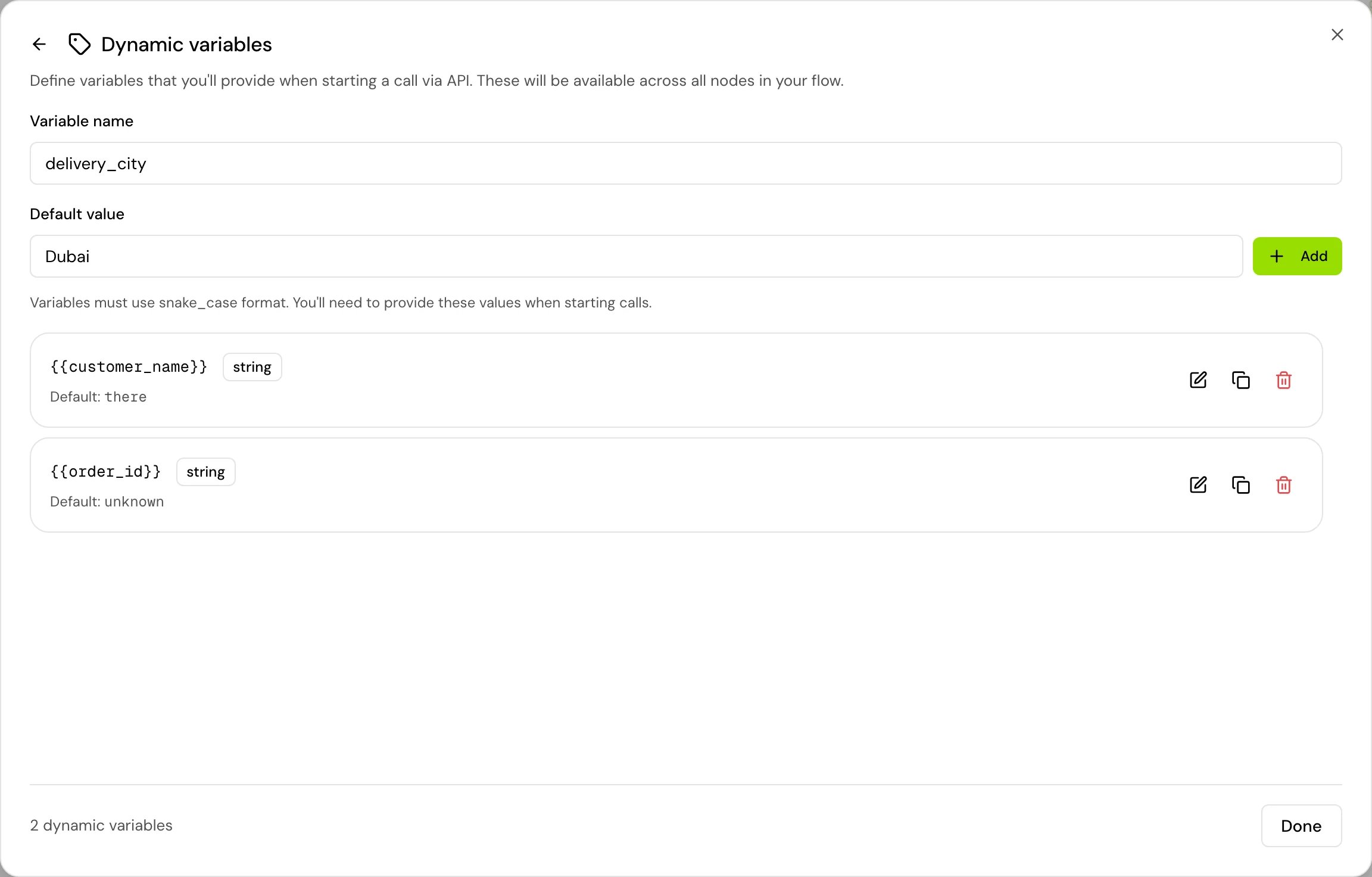
Open Dynamic variables
In a flow agent, click Variables on the canvas toolbar, then Manage next to Dynamic variables. In a single prompt agent, open Variables, click Manage variables, then Manage next to Dynamic variables.
2
Name it
In Variable name, type a snake_case name, for example
customer_name. Use lowercase letters, numbers and underscores, starting with a letter.3
Give it a default
In Default value, type the value the agent uses when a call doesn’t send one. Add stays disabled until there is a default.
4
Save it
Click Add. The variable is available in every step of a flow, and everywhere in a single prompt agent.
{{customer_name}} in a flow step before the variable exists, the editor marks it as not defined. Click it and choose Add as dynamic variable. See Test values.
Name rules
Send values from the API
Start an outbound phone call withPOST /v1/voice-agents/phone-number/call and put the values in params, keyed by variable name.
The response comes back with status 201:
Send values from the web SDK
Passparams to start() when you open a conversation from your website or app with the web SDK.
params makes the SDK’s start request fail validation; write "3" and "True" instead.
See Embed on your website for setting up the SDK and the widget.
Send values from a batch call file
In a batch call, each column of the recipient file other than the known ones becomes a variable for that recipient. Name the column exactly like the variable, in the same case.
An empty cell sends nothing for that recipient, so the variable’s default applies. That includes
name.
See Batch call recipient file for every column and the phone number rules.
Send values from a test call
When you test an agent from the editor with Test > Browser call or Phone call, a form asks for a value for each dynamic variable, filled in with its default (“Provide values for your dynamic variables to start the call. All variables are required.”). Change the values you want to try and start the call. The form sends them asparams, like the API does.
See Test your agent.
How values are combined
For each variable, a value sent inparams wins over the variable’s default. This works key by key: a request that sends only customer_name keeps the defaults of all the other variables.
On the call, an environment variable with the same name wins over both. A value sent at call start can’t replace an environment value.
Good to know
- Every value is a string. If you send a number or a boolean where the API accepts one, the agent reads it as text:
truebecomesTrue,3becomes3. Compare with{% if is_vip == "True" %}or convert with| int. See Jinja. - Lists and objects: send them as JSON text, for example
"items": "[\"Tea\", \"Cake\"]". Text that starts with[or{is read as a list or an object, so{{ items | join(", ") }}givesTea, Cake. - Keys you didn’t define still work. A
paramskey that isn’t a dynamic variable on the agent is accepted and can be used as{{key}}. Defining it gives it a default and makes it show in the editor. - Not sent, no default: the variable renders empty, and the call goes on.
Related
Variables overview
The kinds of variables and which value wins.
Environment variables
Values per environment, which outrank params.
Make an outbound call
The full outbound call API.
Batch call recipient file
Columns and format for batch calls.