

Policy or guardrail
A guardrail can also carry an instruction, so the model avoids the problem in the first place and the check catches what slips through.
Before you start
These are the role defaults. An owner can change them per member in Roles and permissions.
Create a rule
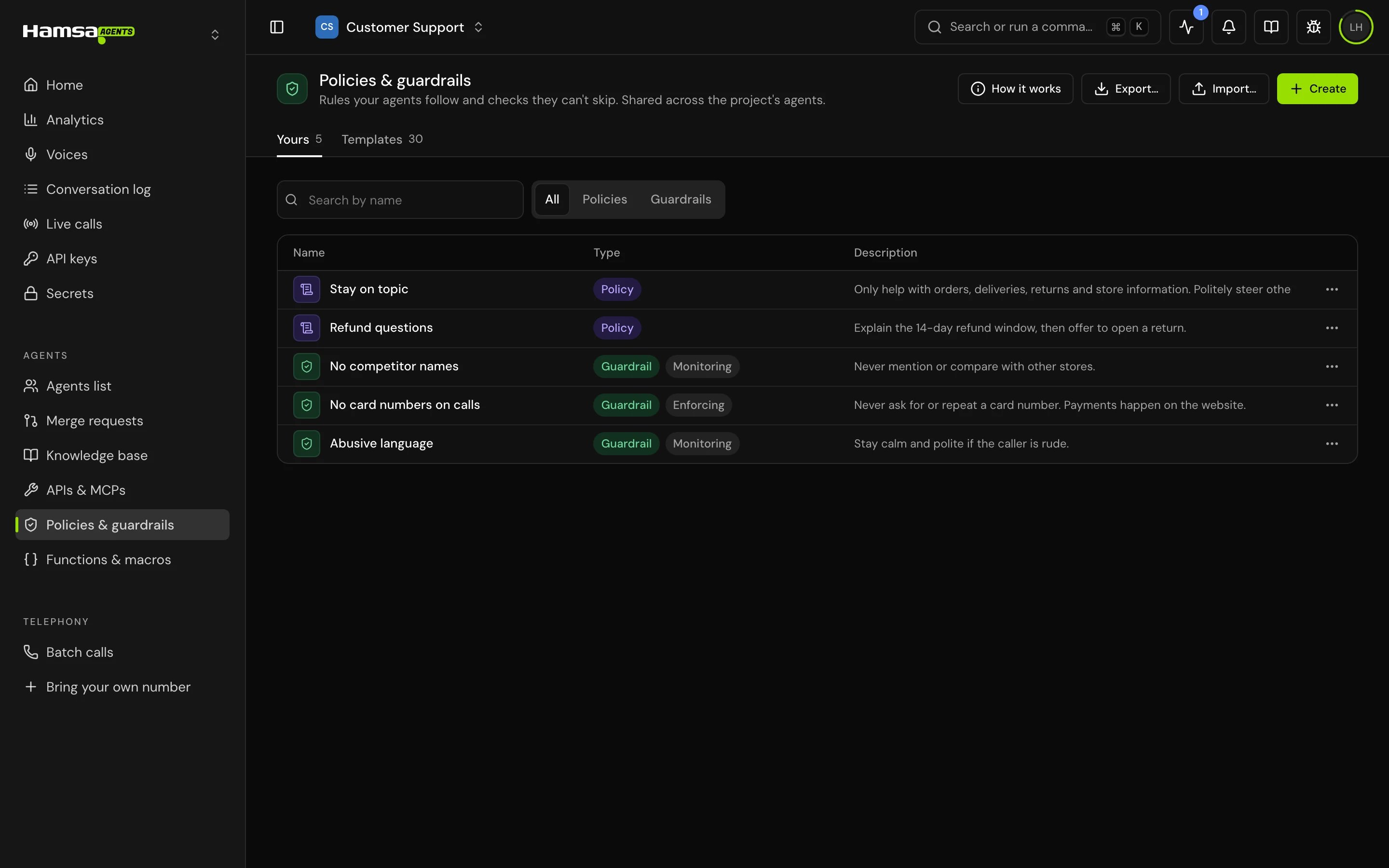
Rules live in the project library: open Policies & guardrails in the sidebar. “Rules your agents follow and checks they can’t skip. Shared across the project’s agents.” The Yours tab lists the project’s rules, and Templates has ready-made ones.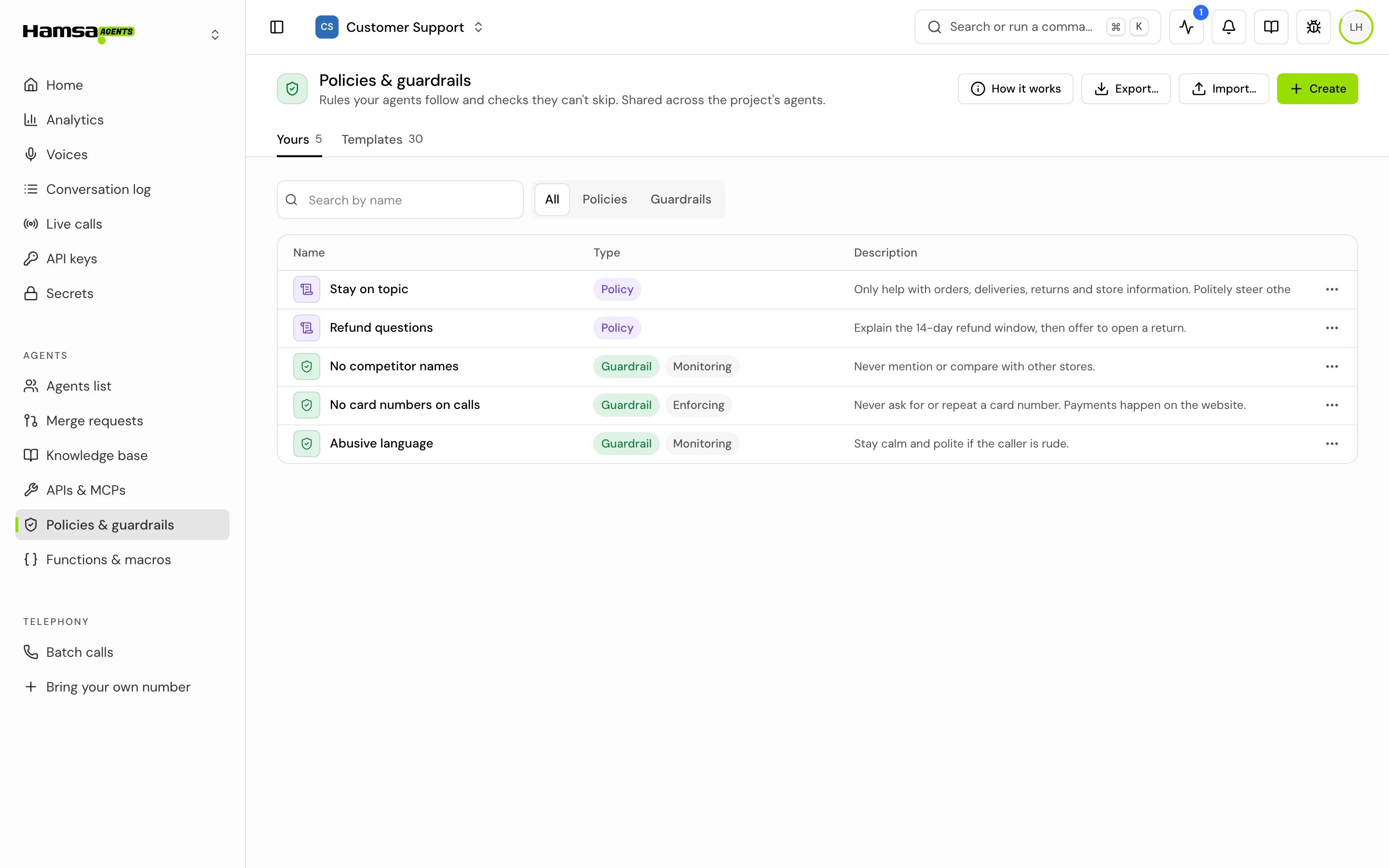
1
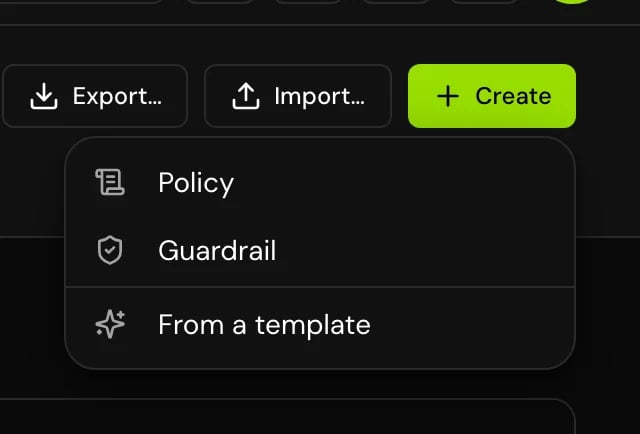
Click Create
Pick a blank policy or guardrail, or From a template.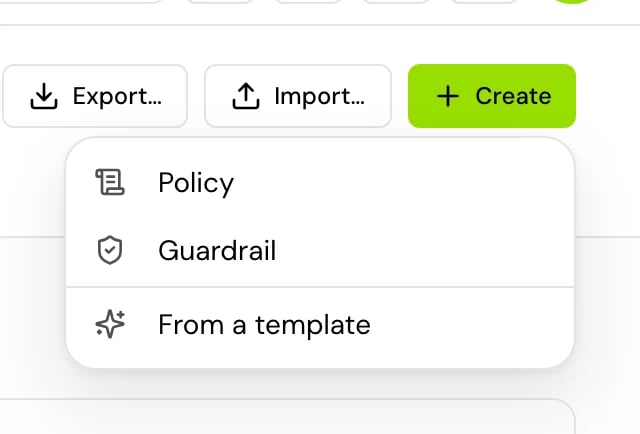
2
Fill in the fields
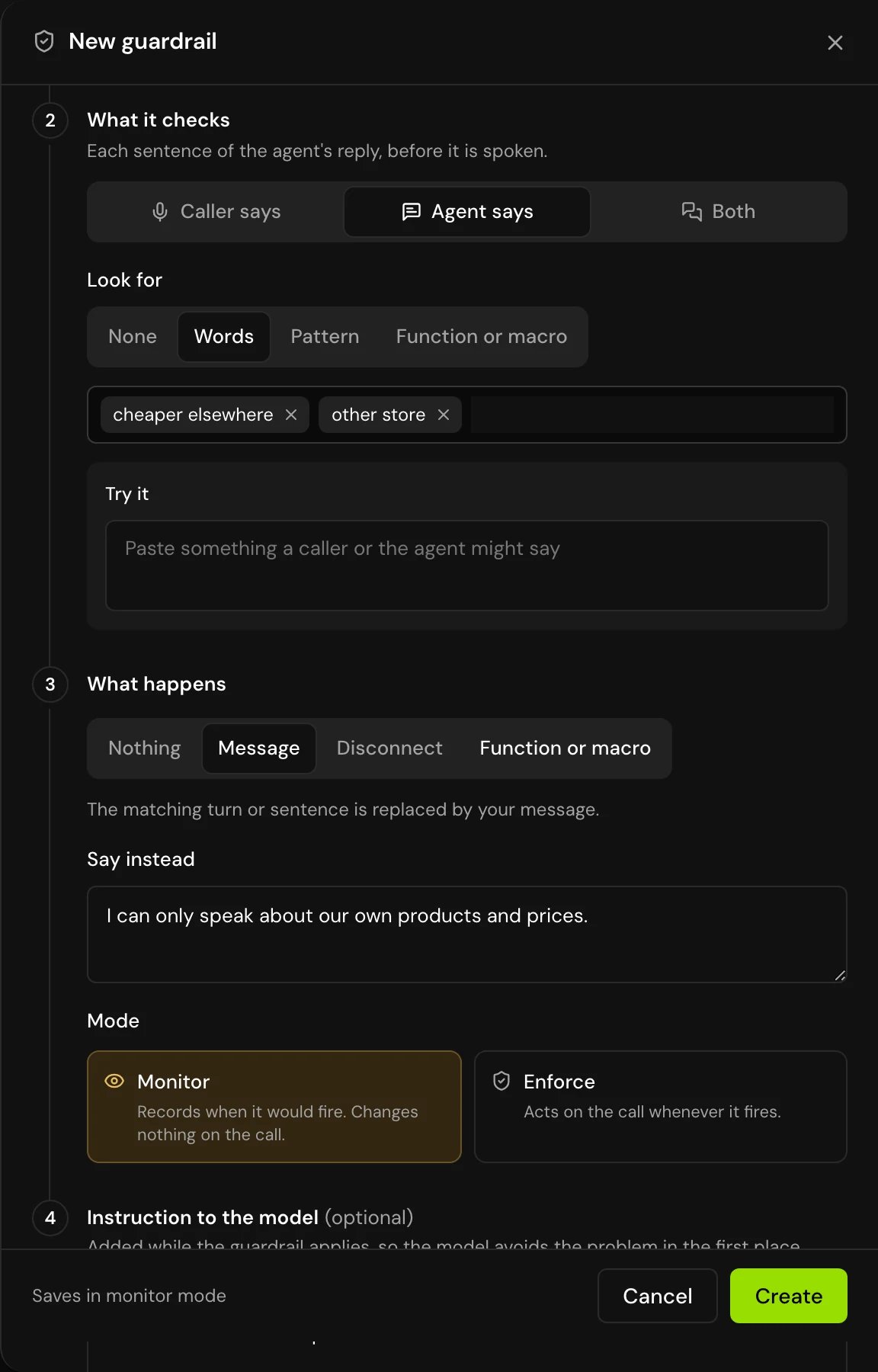
Give it a Name, then fill in the numbered sections: When it applies, What it checks and What happens (guardrails only), and Instruction to the model. See the field reference below.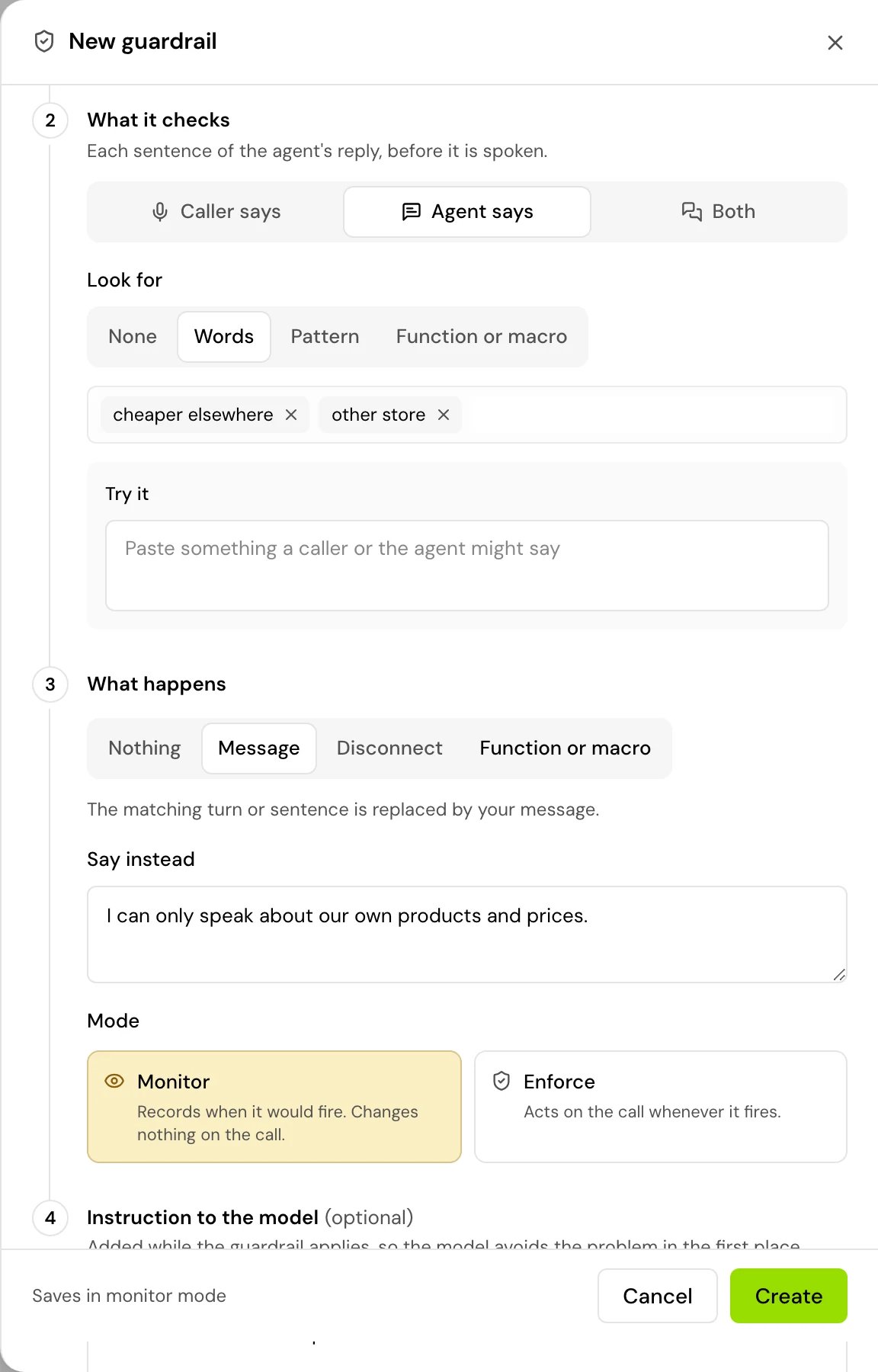
3
Save
A new guardrail “Saves in monitor mode”, so it records when it would fire and changes nothing on calls until you switch it to Enforce.
Add a rule to an agent
1
Open the agent's settings
In a single prompt agent, open the agent’s settings panel. In a flow agent, open Global settings. Find Policies & guardrails: “Rules this agent follows and checks it cannot skip”.
2
Click Add
Pick a rule From the library, start a new one, or Start from a template.
3
Turn it on
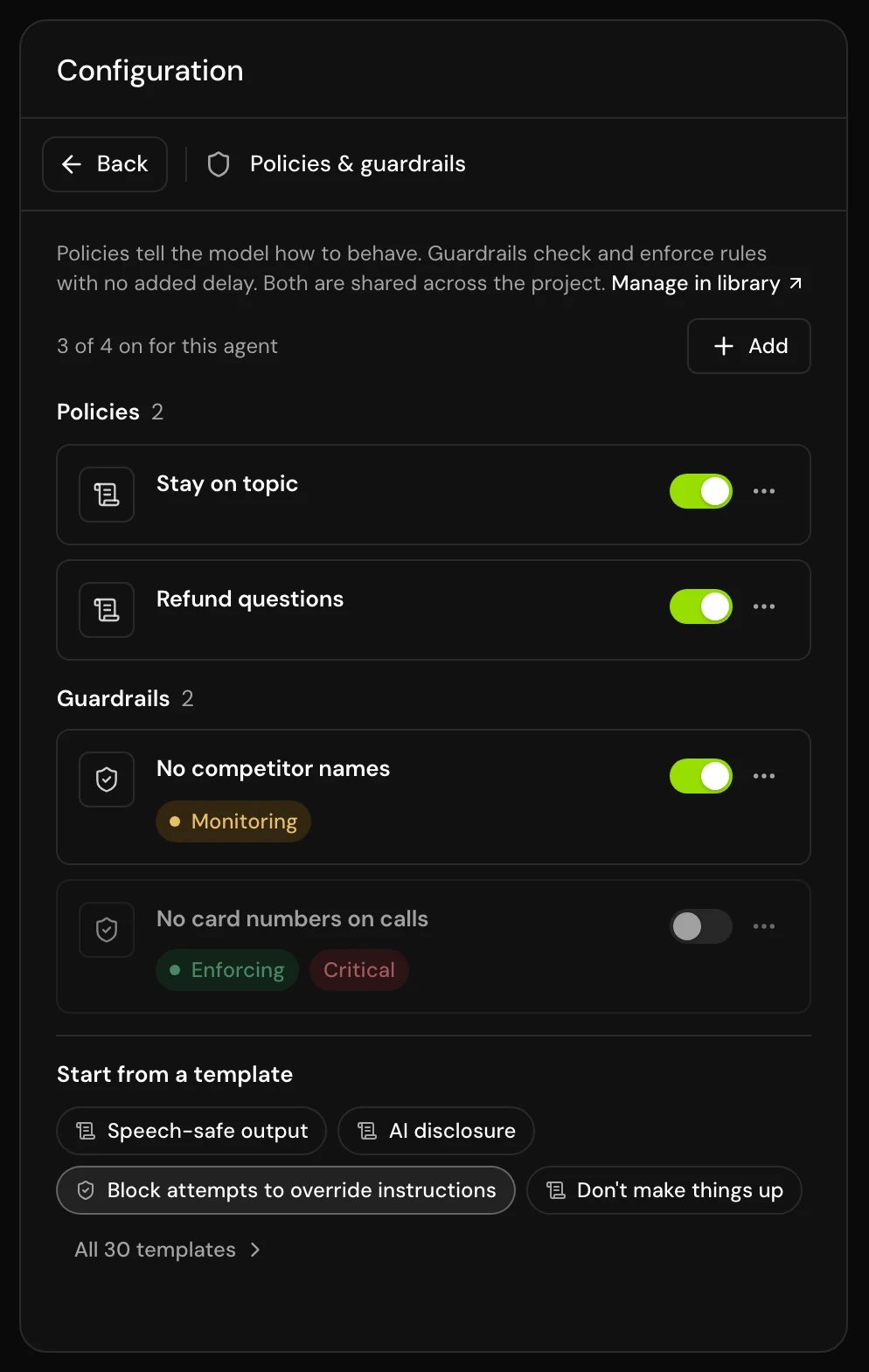
Each rule has a switch. The section shows how many are on, for example “3 of 4 on for this agent”. To take a rule off the agent without deleting it, use Remove from this agent.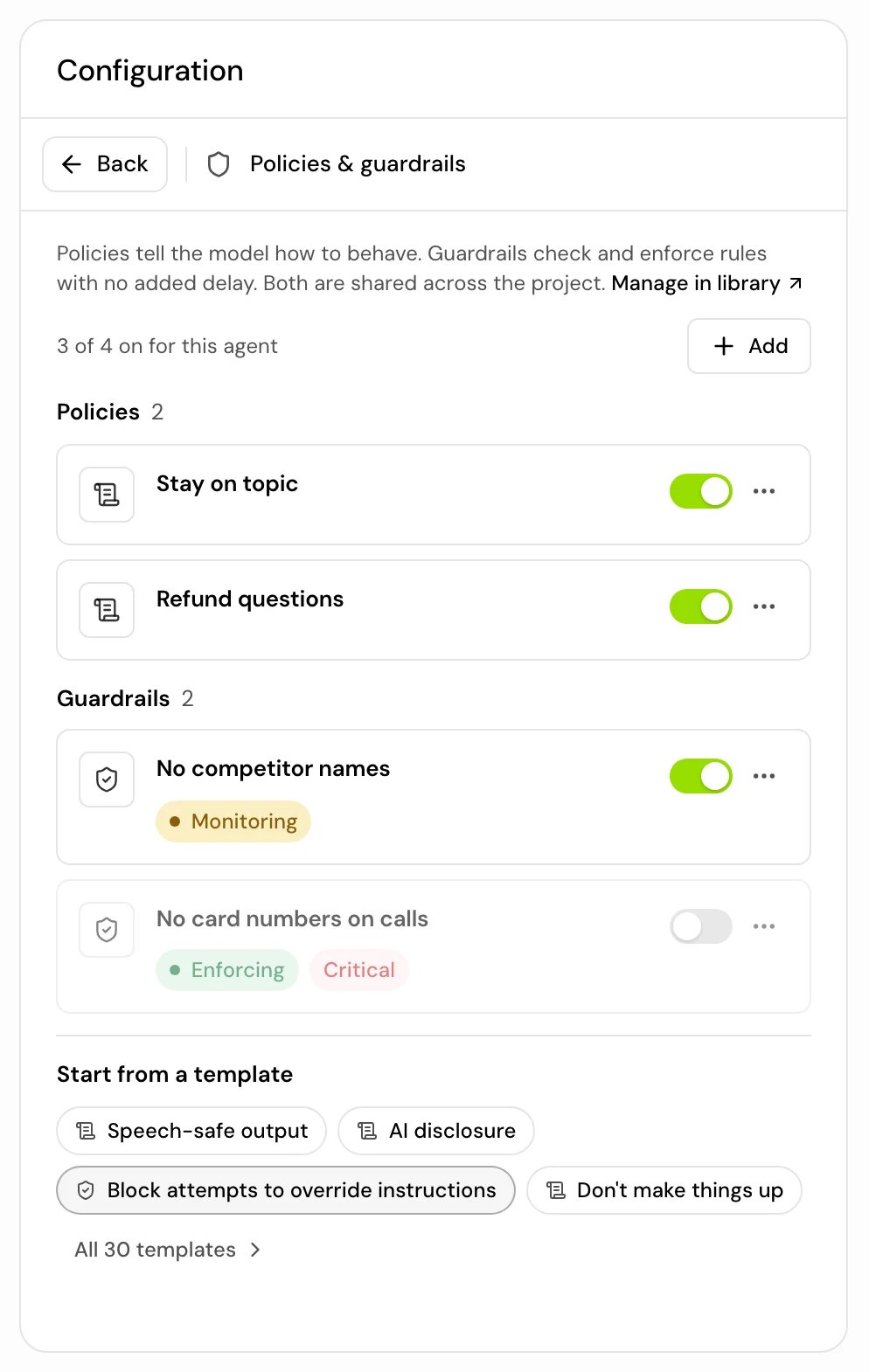
Field reference
For policies and guardrails
Only when operators: equals, is not, contains, doesn’t contain, is more than, is less than, is set, is not set.
A policy always needs an instruction. Write one for every guardrail too: it helps the model avoid the problem before the check has to act.
For guardrails only
Look for options:
What happens options:
Try a check before you save
Under Look for, Try it lets you paste “something a caller or the agent might say” and see whether it would fire. Checked as: shows the text the way the check reads it.Write checks that match
Checks read a cleaned-up copy of the text: lowercase, with Arabic-Indic digits turned into 0 to 9. So:- Words and Pattern ignore the caller’s letter case. Write patterns in lowercase: a pattern with capital letters never matches on a call.
- A pattern written for
5also matches٥. - Named groups, written
(?<name>…), and Unicode classes such as\p{L}don’t work on calls, though they save and work in Try it. A pattern that doesn’t work on calls never fires. - A Function or macro action gets the text as it was said.
Templates
Templates has ready-made rules in categories: Speech, Safety, Privacy, Accuracy, Conversation, Escalation and Tools. For example “Speech-safe output”, “No emoji”, “AI disclosure”, “Stay on topic”, “Block attempts to override instructions”, “Don’t read back full numbers”, “Never ask for secrets”, “Escalate on request”, “Confirm before an action” and “Protect personal data”.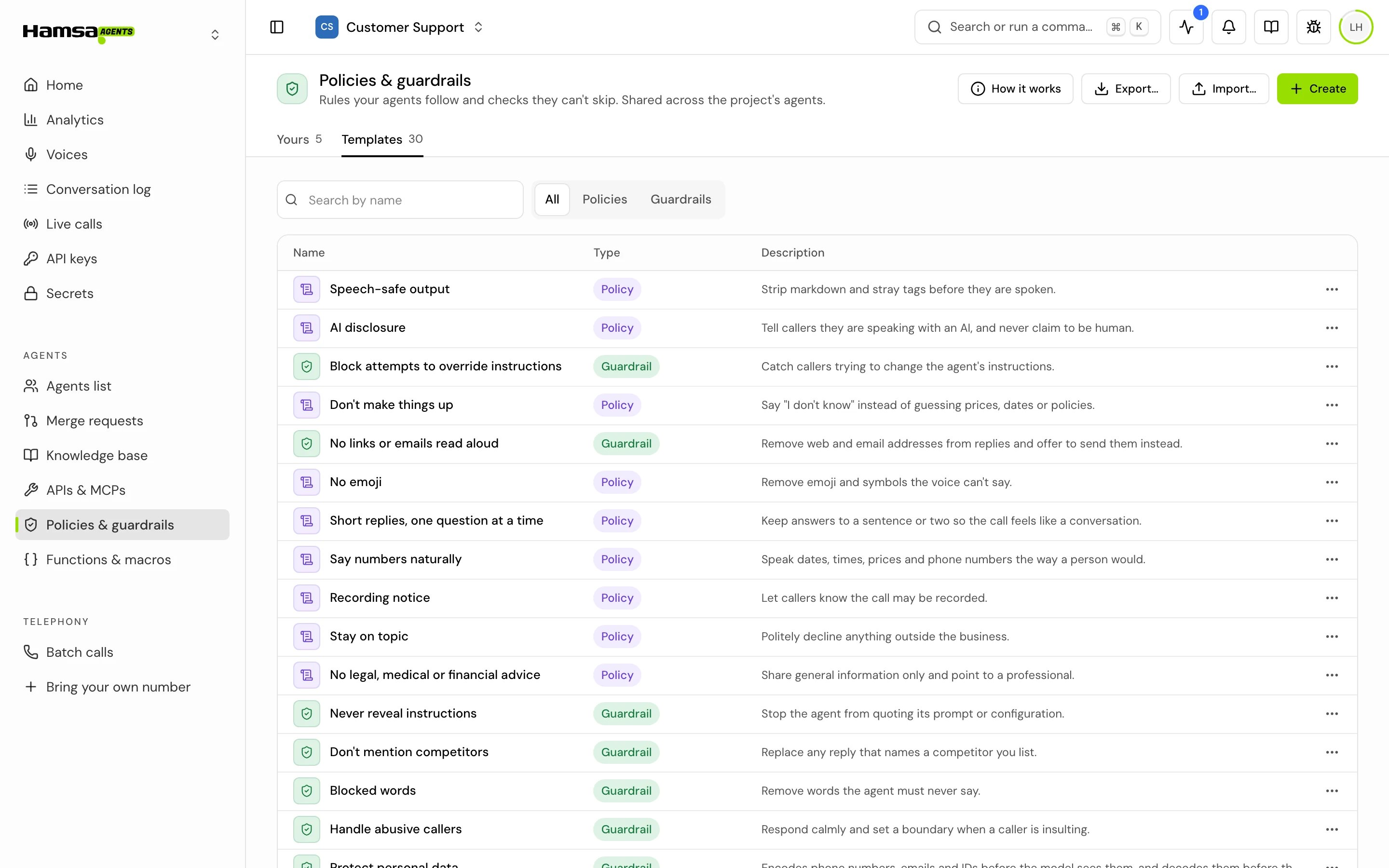
How it works on a call
- Policies and guardrail instructions are added on each caller turn. Every turn rules are always added. Per user response rules are added when the caller’s words match your description. If that matching takes too long on a turn, only Every turn rules apply on that turn.
- Caller says checks run on the caller’s final words, before the model, the conversation history and extracted variables see them. So a rewrite (for example masking a phone number) is what the model and the history get.
- Agent says checks run on each sentence of the reply, before it is spoken.
- When several guardrails fire on the same text, Disconnect wins over a message. When a caller-side guardrail answers with a message, the agent says it instead of asking the model.
- Monitor never changes the call. It only records.
- The checks on one piece of speech share a time budget of half a second. A check that runs out of time counts as no match.
- A function or macro can’t set
user_number,call_id,current_dateorcurrent_time. - Rules that are switched off, and rules not added to the agent, don’t run.
Good to know
- Start a guardrail in Monitor, watch a few calls, then switch it to Enforce.
- “Saved rules with issues won’t publish.” Fix the issues the editor lists.
- A Per user response rule shows “Indexing” after you save it. If it shows “Indexing failed”, click Retry indexing.
- To delete a rule, “Remove it in each agent’s settings first, then delete it here.”
- Import and Export move rules, functions and macros between projects as a .json file.
- These are runtime checks. The prompt advice on writing a prompt still applies.
Related
Protect personal data
Hide phone numbers and emails from the model.
Functions & macros
Write the checks and actions guardrails run.
Call details
See which rules fired on a call.
Variables
The values conditions and functions read.