

Overview
Text items allow you to add free-form text content directly to your knowledge base.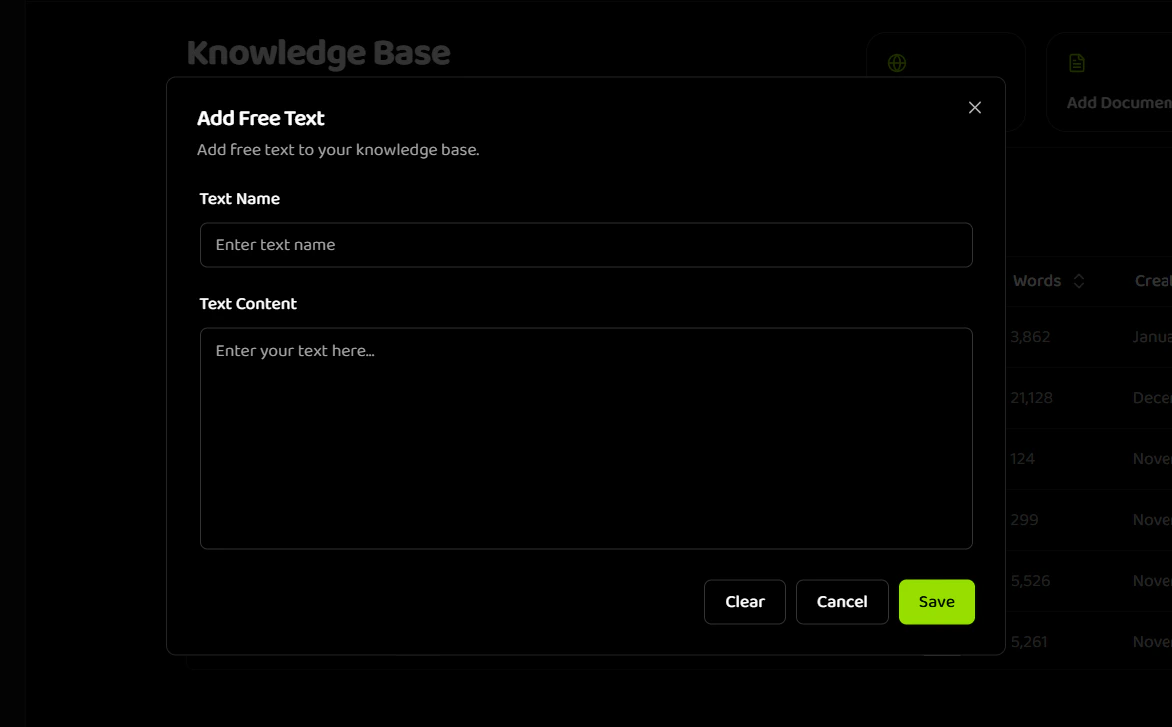
When to Use Text Items
Text items are ideal for:- Quick FAQs and policies
- Company information
- Product descriptions
- Short reference materials
- Content that changes frequently
Requirements
Step-by-Step Process
-
Navigate to Knowledge Base
- Go to the Knowledge Base section in your dashboard
- Click “Add Free Text” button
-
Enter Item Details
- Text Name: Enter a descriptive name (1-100 characters)
- Example: “Return Policy 2024”
- Example: “Business Hours - Customer Service”
- Text Content: Enter or paste your text content
- Minimum: 50 characters
- Maximum: 5,000 characters
- Must contain actual content (not just whitespace)
- Text Name: Enter a descriptive name (1-100 characters)
-
Validate and Save
- Review your content
- Click “Save” button
- Processing starts automatically
Text Item Examples
Example 1: Return PolicyText Limits
- Minimum: 50 characters
- Maximum: 5,000 characters
Related Documentation
Creating Items
Overview of all item creation types
File Items
Learn how to upload documents
URL Items
Learn how to import web content
Managing Items
Organize and manage your knowledge base