

Overview
The Call History list view provides comprehensive controls for viewing, filtering, searching, and managing call records. All settings are preserved in URL parameters for easy sharing and bookmarking.List View
The call history list displays all calls in a sortable table format with the following columns:Displayed Columns
Row Interactions
Click Behavior:- Click any row to open call details drawer
- Exception: PENDING calls do not open drawer
- Drawer shows comprehensive call information
- Available for completed calls
- View details option
- Additional actions as available
Filtering

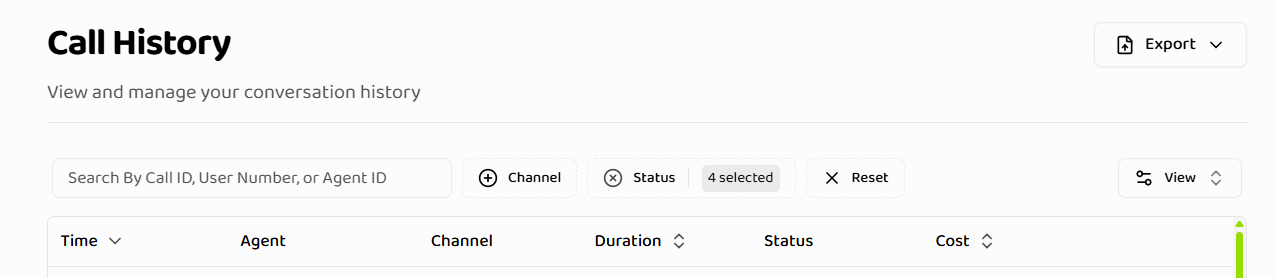
Date Range Filter
Date range filtering supports multiple presets:
Custom Date Range:
- Select start and end dates from calendar
- Two-month calendar view
- Future dates are disabled
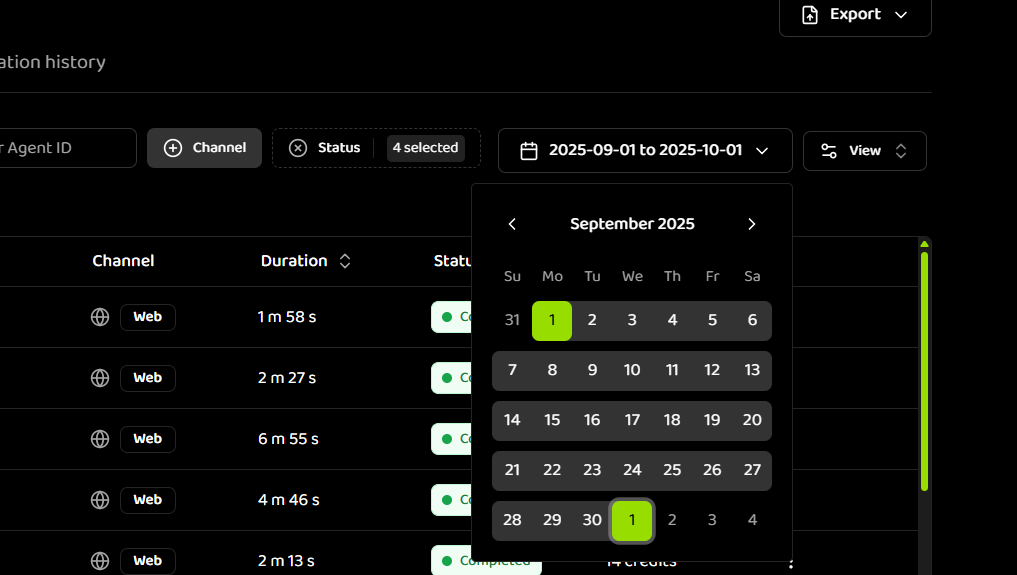
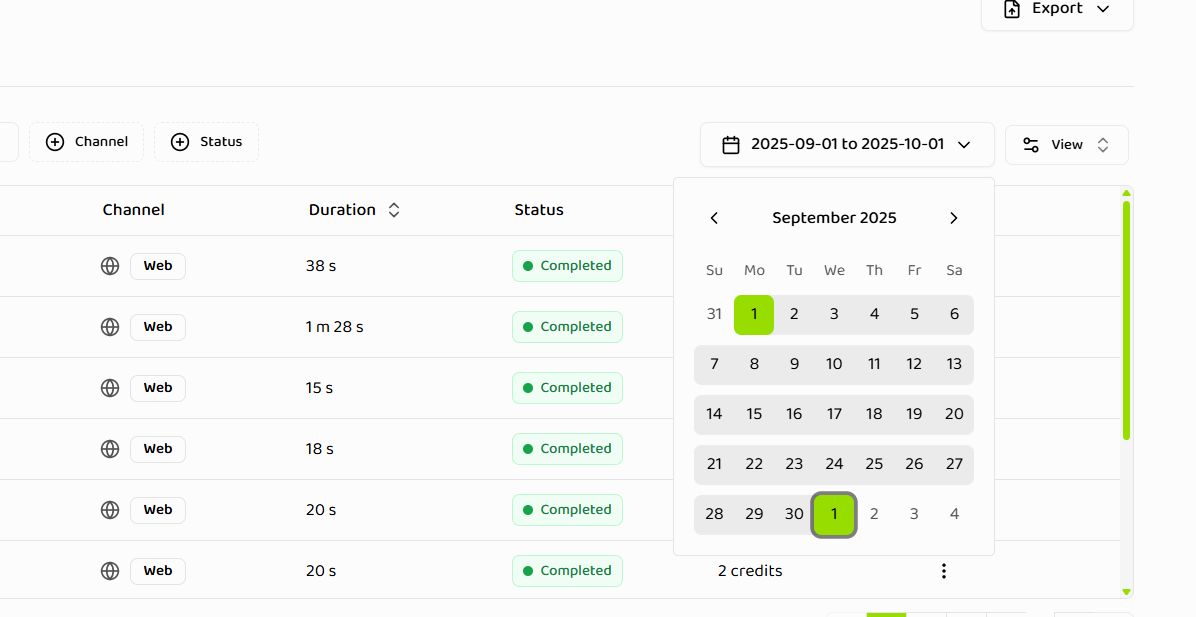
- Start date: beginning of day (00:00:00.000)
- End date: end of day (23:59:59.999)
- Click “Done” to apply selection
- “All” removes date filtering entirely
- Presets are calculated based on user’s timezone
- Custom ranges respect timezone settings
- Date range is stored in URL query parameters
Status Filter
Filter by one or more call statuses: Available Statuses:- COMPLETED - Call completed successfully
- PENDING - Call is queued or waiting
- FAILED - Call encountered an error
- IN_PROGRESS - Call is actively in progress
- NO_ANSWER - Recipient did not answer
- FORWARDED - Call was forwarded
- Multiple statuses can be selected
- Filter values stored in URL query parameters
- Default statuses applied on first load (COMPLETED, FAILED, IN_PROGRESS, FORWARDED)
- Filter persists across page navigation
Duration Filter
Filter calls by how long they lasted: Conditions available:- Is between (range)
- Is greater than (minimum)
- Is less than (maximum)
- Is equal to (exact)
- Click the Duration filter button
- Select condition type
- Enter value(s) in seconds
- Click Apply
Channel Type Filter
Filter by communication channel: Available Channels:- Web - Web-based calls
- Telephone - Phone calls
- Multiple channels can be selected
- Filter stored in URL query parameters
- Empty values show all channels
- Visual icons distinguish channel types
Agent Filter
Filter by Voice Agent: Selection:- Select from dropdown of available agents
- Shows agent name with truncation for long names
- Tooltip shows full name on hover
- Empty state shown if no agents available
- Single agent selection
- Filter stored in URL query parameters
- Agents loaded from project’s voice agents
- Filter persists across navigation
Filter Reset
Reset Button:- Clears all column filters
- Resets date range to “All”
- Preserves pagination and sorting
- URL query parameters updated
- Click “Reset” button
- All filters cleared
- Date range set to “All”
- Status filters reset to defaults
- Channel and agent filters cleared
Searching
Search Functionality
Search Bar:- Located in table toolbar
- Real-time search as you type
- Searches across multiple fields
- Call ID - Unique call identifier
- User Number - User/client phone number
- Agent ID - Voice Agent identifier
- Case-insensitive matching
- Search term stored in URL query parameters
- Pagination resets when search is active
- Search persists across page navigation
Search Results
Display:- Filtered results displayed immediately
- Empty state shown if no matches
- Search term highlighted in results (if applicable)
- Result count displayed
- “No search results” message
- Clear search option
- Suggests checking filters
Sorting
Sortable Columns
The following columns can be sorted:- Time - Call timestamp
- Duration - Call duration
- Cost - Call cost in credits
Sort Behavior
Interaction:- Click column header to toggle sort direction
- Ascending (↑) or Descending (↓)
- Sort state stored in URL query parameters
- Default sort: time descending (most recent first)
- Only one column can be sorted at a time
- Clicking different column changes sort
- Clicking same column toggles direction
Pagination
Pagination Controls
Default Settings:- Default page size: 10 items per page
- Page size configurable via URL query parameters
- Page number stored in URL
- Per-page count stored in URL
- Previous/Next page buttons
- Page number input
- Page size selector
- Total count display
Pagination Behavior
Display:- Total count displayed
- Filtered count shown when filters are active
- Current page and total pages shown
- Page navigation via table controls
- URL updates reflect current page state
- Page number in query parameters
- Page size in query parameters
- Shareable URLs preserve pagination
Export Functionality
Export Current Page
Behavior:- Exports only the calls visible on the current page
- Respects current page size
- Includes all visible columns
- CSV format
- Quick export of visible calls
- Limited dataset export
- Current view snapshot
Export with Filters
Behavior:- Exports all calls matching current filters
- Includes all filtered results (not just current page)
- Respects all active filters
- CSV format
- Export filtered dataset
- Bulk data export
- Analysis-ready data
- Apply desired filters
- Click “Export” button
- Select “Export Filtered” or “Export Current Page”
- CSV file downloads
- File includes all filtered data
Column Visibility
Hidden Columns
The following columns are hidden by default:- Agent Number - Agent phone number
- Client Number - Client/user phone number
- Timestamp - Full timestamp
Toggle Visibility
Controls:- Column visibility menu
- Toggle individual columns
- Show/hide as needed
- Preferences not persisted (resets on refresh)
Duration Formatting
Duration is displayed in human-readable format: Formatting:- Seconds: ”30s”, ”45s” (under 60 seconds)
- Minutes: “2m 30s”, “15m” (60 seconds to 59 minutes)
- Hours: “1h 30m”, “2h” (60+ minutes)
Cost Formatting
Cost is displayed in credits with proper formatting: Formatting:- Integer values: “5 credits”, “10 credits”
- Decimal values: “5.5 credits”, “10.25 credits”
- Consistent decimal precision
Status Badges
Status is displayed with color-coded badges: Status Colors:- COMPLETED - Green
- IN_PROGRESS - Blue
- PENDING - Yellow
- FAILED - Red
- NO_ANSWER - Orange
- FORWARDED - Purple
Channel Display
Channels are displayed with icons and badges: Web Channel:- Web icon
- “Web” badge
- Distinct styling
- Phone icon
- “Telephone” badge
- Distinct styling
Empty States
No Calls
Displayed When:- No calls exist in project
- All calls filtered out
- Project has no call history
- “No calls found”
- Suggests checking filters
- Provides guidance
No Search Results
Displayed When:- Search returns no matches
- Filters exclude all calls
- Search term too specific
- “No search results”
- Clear search option
- Suggests adjusting filters
URL State Management
All filters, sorting, and pagination are stored in the URL: Benefits:- Shareable URLs
- Bookmarkable states
- Browser back/forward support
- Direct navigation to filtered views
- Date range
- Status filters
- Channel filters
- Agent filter
- Search term
- Sort column and direction
- Page number
- Page size
Real-Time Updates
Active Calls
Live Updates:- Status changes update automatically
- Duration updates in real-time
- New calls appear automatically
- No manual refresh needed
- Active calls highlighted
- Real-time status badges
- Live duration counters
- In-progress indicators
Responsive Design
Mobile Adaptations
Layout:- Responsive table layout
- Touch-friendly controls
- Optimized for small screens
- Horizontal scroll when needed
Touch Interactions
Gestures:- Swipe to scroll
- Tap to select
- Long press for actions
- Touch-optimized buttons
Accessibility
Keyboard Support
Navigation:- Tab through filters
- Arrow keys for sorting
- Enter to apply filters
- Escape to close dialogs
Screen Reader Support
Announcements:- Status changes announced
- Filter changes announced
- Search results announced
- Page changes announced
RTL Support
Layout:- Right-to-left layout support
- Mirrored controls
- Proper text direction
- RTL-friendly icons
Next Steps
- Call Details - Understand call details drawer and tabs
- Best Practices - Optimize your call history usage
Related Documentation
Call Details
Learn about call details drawer
Best Practices
Optimize call history usage
Introduction
Understand call history fundamentals