

Overview
The Knowledge Base feature provides comprehensive content management for Voice Agents in the Hamsa platform. It enables you to store, organize, and manage information that your AI agents can reference during conversations, ensuring accurate and contextually relevant responses.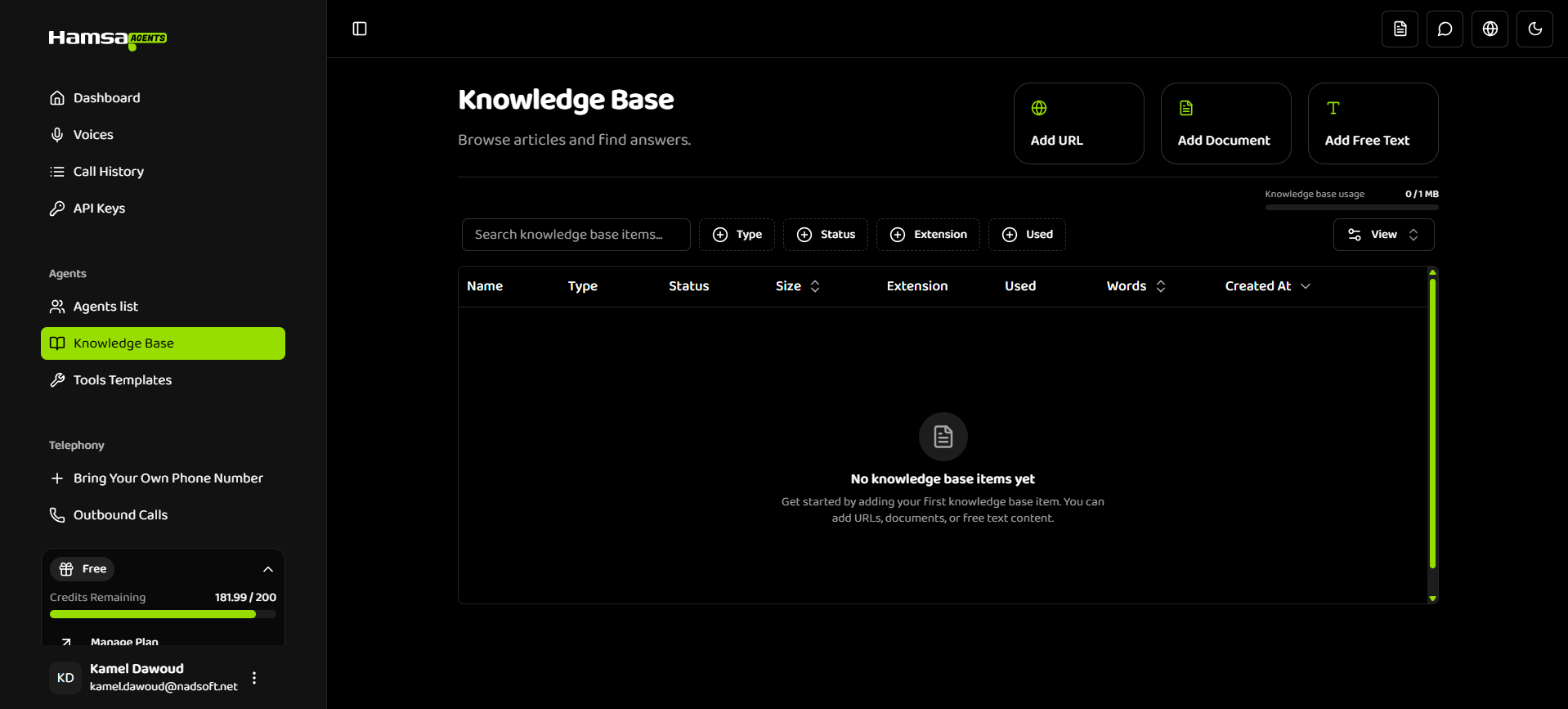
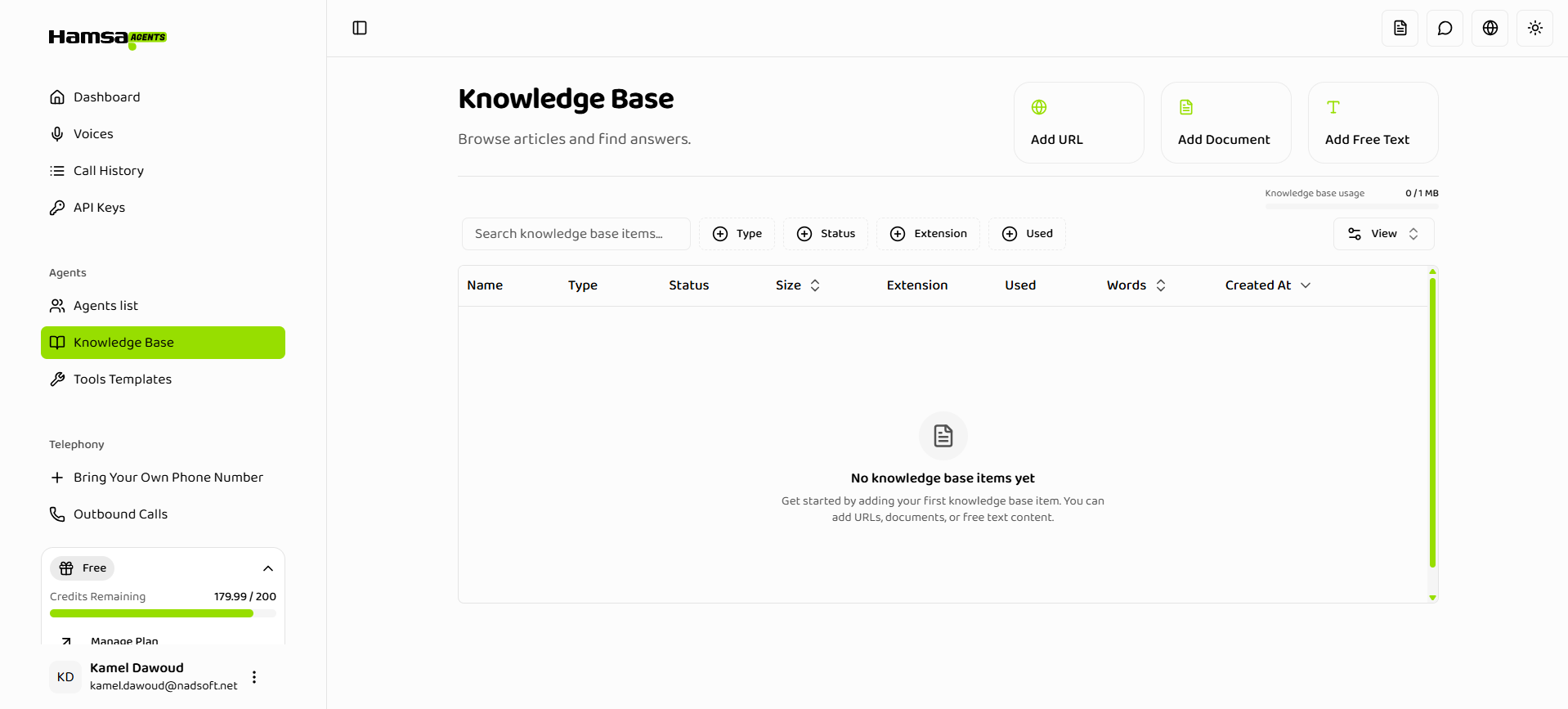
Knowledge Base enables your agents to:
- Answer questions using your company’s documentation
- Reference product information, policies, and procedures
- Access up-to-date information from web sources
- Provide accurate responses based on your content
What is a Knowledge Base?
A Knowledge Base is a centralized repository of information that your Voice Agents can access during conversations. Each knowledge base item contains content that helps agents answer questions accurately and provide relevant information to callers.Key Capabilities
Content Management- Create items from text, files, or URLs
- Organize and categorize your knowledge
- Track usage across multiple agents
- Monitor processing status in real-time
- Text Items: Direct text input for quick content
- File Items: Upload documents (PDF, DOCX, TXT, HTML, EPUB)
- URL Items: Import content from web pages and sitemaps
- Automatic content extraction and indexing
- Real-time status tracking
- Error handling and retry mechanisms
- Storage quota management
- Activate or deactivate items per agent
- Track which agents use which items
- Prevent deletion of items in use
- Visual usage indicators
Knowledge Base Item Types
The system supports three types of knowledge base items, each suited for different use cases:Text Items
Free-form text content entered directly into the platform. Best for:- Quick FAQs and policies
- Company information
- Product descriptions
- Short reference materials
- Minimum: 50 characters
- Maximum: 5,000 characters
- Processing: Instant
- Format: Plain text
File Items
Document files uploaded from your computer. Supported formats:- PDF (
.pdf) - Word Documents (
.docx) - Word Documents Legacy (
.doc) - Text Files (
.txt) - HTML Files (
.html) - EPUB (
.epub)
- Product manuals
- Technical documentation
- Policy documents
- Training materials
- Multiple files: Upload multiple files at once
- Processing: Depends on the uploaded file
URL Items
Web content imported from websites. Best for:- Product pages
- Online documentation
- Blog articles
- Support articles
- Public knowledge bases
- HTTPS URLs only
- Single URL or multiple URLs via sitemap
- Maximum: 100 URLs per item
- Processing: Depends on the content and nested links
Knowledge Base Status Lifecycle
Knowledge base items move through various processing states:Processing States
Storage Limits by Plan
Knowledge Base storage limits vary by subscription tier: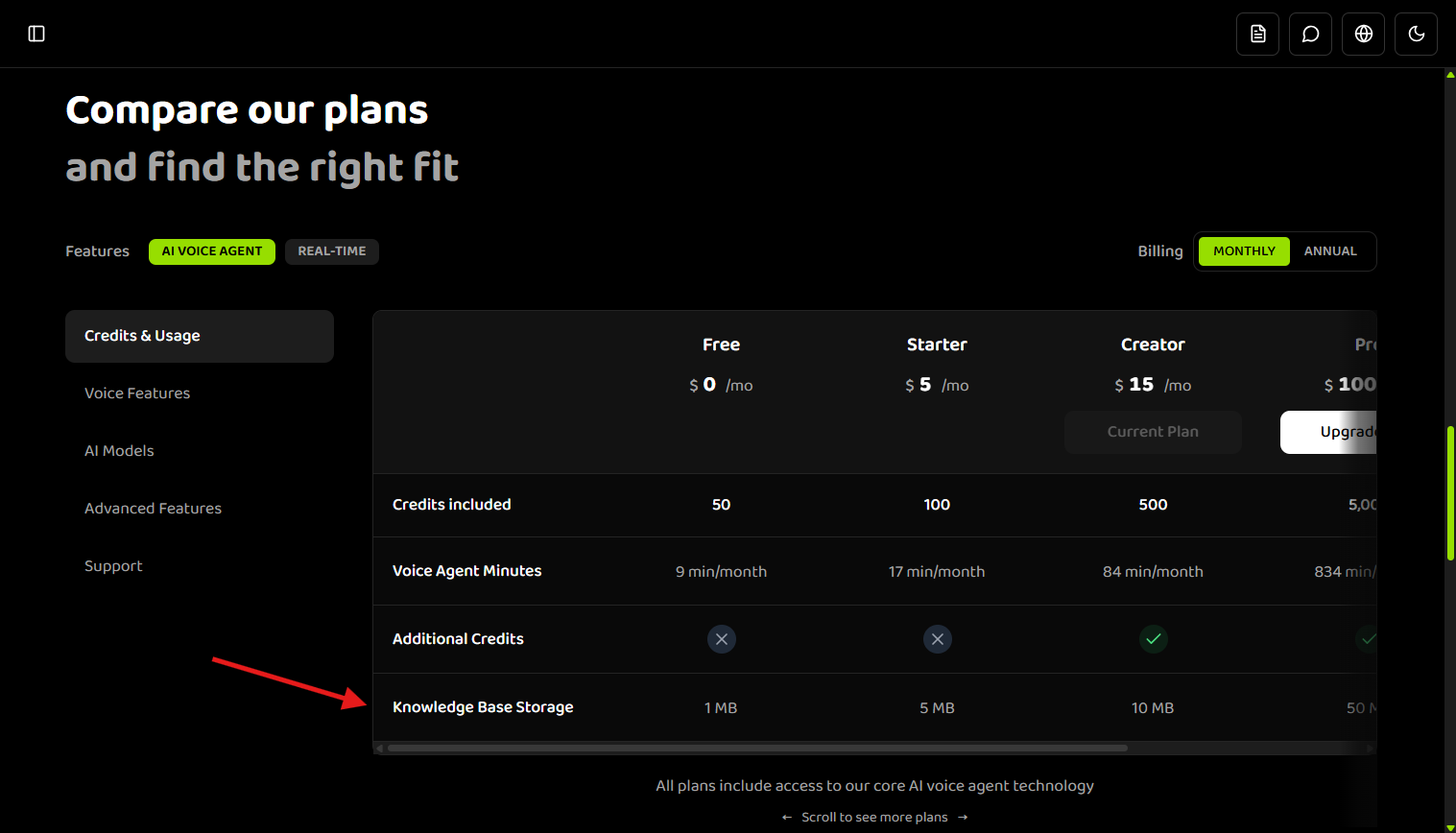
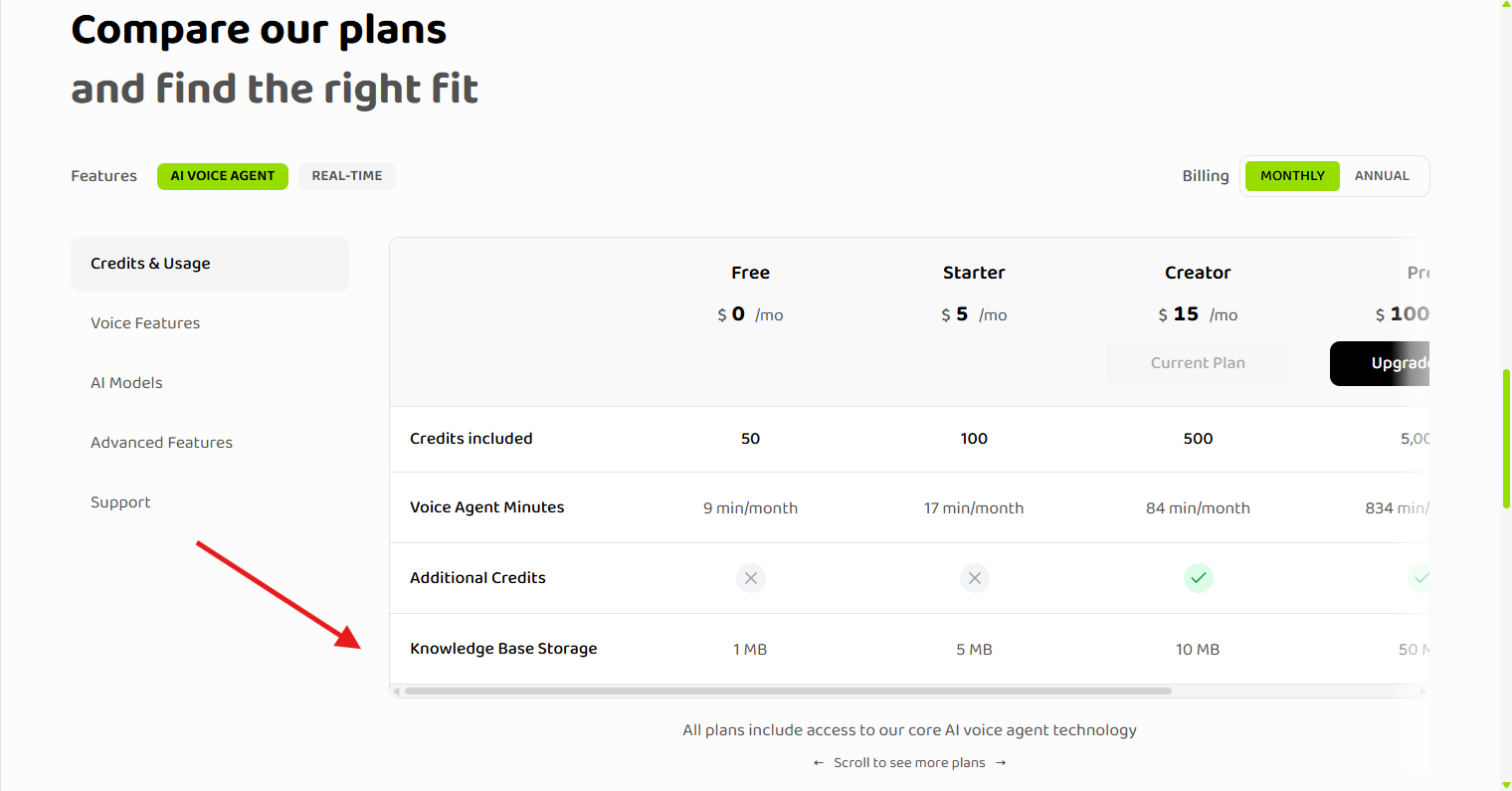
You can view your current plan’s storage limits and compare all plans on the billing page.
Storage limits apply to the total size of all knowledge base items in your workspace. The system displays your current usage and disables add buttons when you reach your limit.
Key Features
Automatic Processing
Items are processed automatically upon creation:- Text items: Instant processing
- File items: Automatic extraction and indexing
- URL items: Automatic scraping and content extraction
Status Tracking
Real-time status updates show:- Current processing state
- Error messages for failed items
- Completion indicators
- Processing progress
Agent Integration
- Activation Control: Enable or disable items per agent
- Usage Tracking: See which agents use which items
- Deletion Protection: Prevent deletion of items in use
- Visual Indicators: Clear usage status in the list view
Search and Filtering
Powerful search and filtering capabilities:- Search by item name
- Filter by type (Text, File, URL)
- Filter by status
- Filter by file extension
- Filter by usage (used/not used)
Sorting Options
Sort items by:- Created date (newest/oldest)
- Word count (most/fewest)
- File size (largest/smallest)
Prerequisites
Before creating knowledge base items, ensure you have:- An active project selected
- Appropriate permissions to manage knowledge base items
- Available storage quota (check your plan limits)
Common Use Cases
Customer Support
Scenario: Answer common customer questions Setup:- Create Text items for FAQs
- Upload policy documents as File items
- Add support article URLs
Product Information
Scenario: Provide detailed product information Setup:- Upload product manuals as PDFs
- Add product page URLs
- Create Text items for specifications
Technical Documentation
Scenario: Reference technical documentation Setup:- Upload technical manuals
- Add API documentation URLs
- Create Text items for quick references
Company Policies
Scenario: Enforce company policies and procedures Setup:- Create Text items for key policies
- Upload employee handbooks
- Add policy page URLs
What’s Next?
- Quick Start - Get started in 4 simple steps
- Creating Knowledge Base Items - Learn how to create text, file, and URL items
- Managing Knowledge Base - Organize, search, and filter your items
- Status and Lifecycle - Understand processing states and error handling
- Best Practices - Optimize your knowledge base for best results
Related Documentation
Quick Start
Get started with Knowledge Base in 4 simple steps
Single Prompt Agents
Learn how to use knowledge base in single prompt agents
Flow Agents
Configure knowledge base in flow-based agents
Features Overview
General knowledge base feature documentation