> ## Documentation Index
> Fetch the complete documentation index at: https://docs.tryhamsa.com/llms.txt
> Use this file to discover all available pages before exploring further.
# Create API Keys
> This page shows you how to use Hamsa Dashboard to create new API keys.
Click here to return to the Authentication page if you haven't crated an account yet.
## Create an API Key
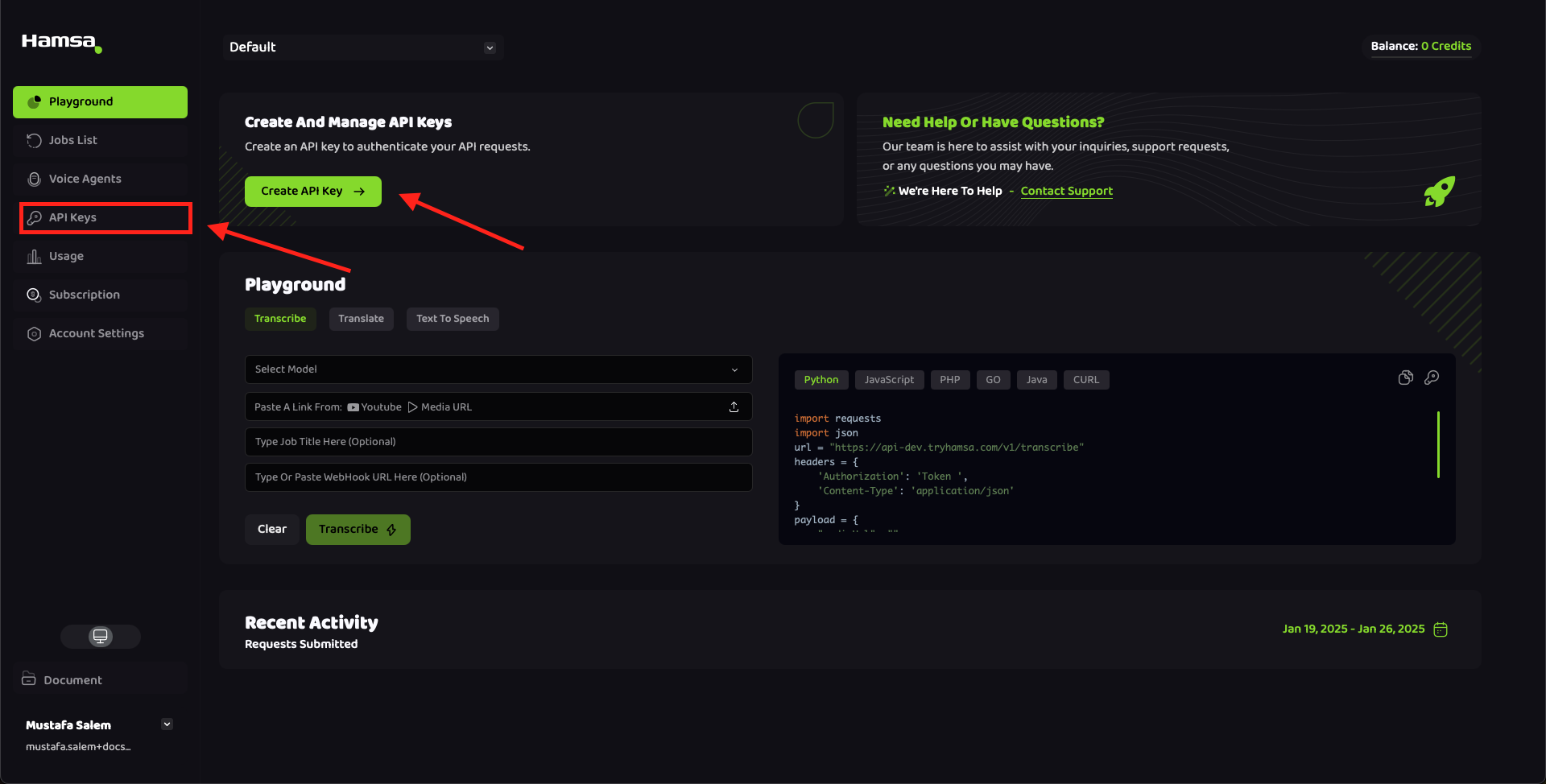
Once you logged in, please select the Create API Key button on the Dashboard page, or you can choose
API keys tab and then choose Create API Key button as illustrated in the images below.
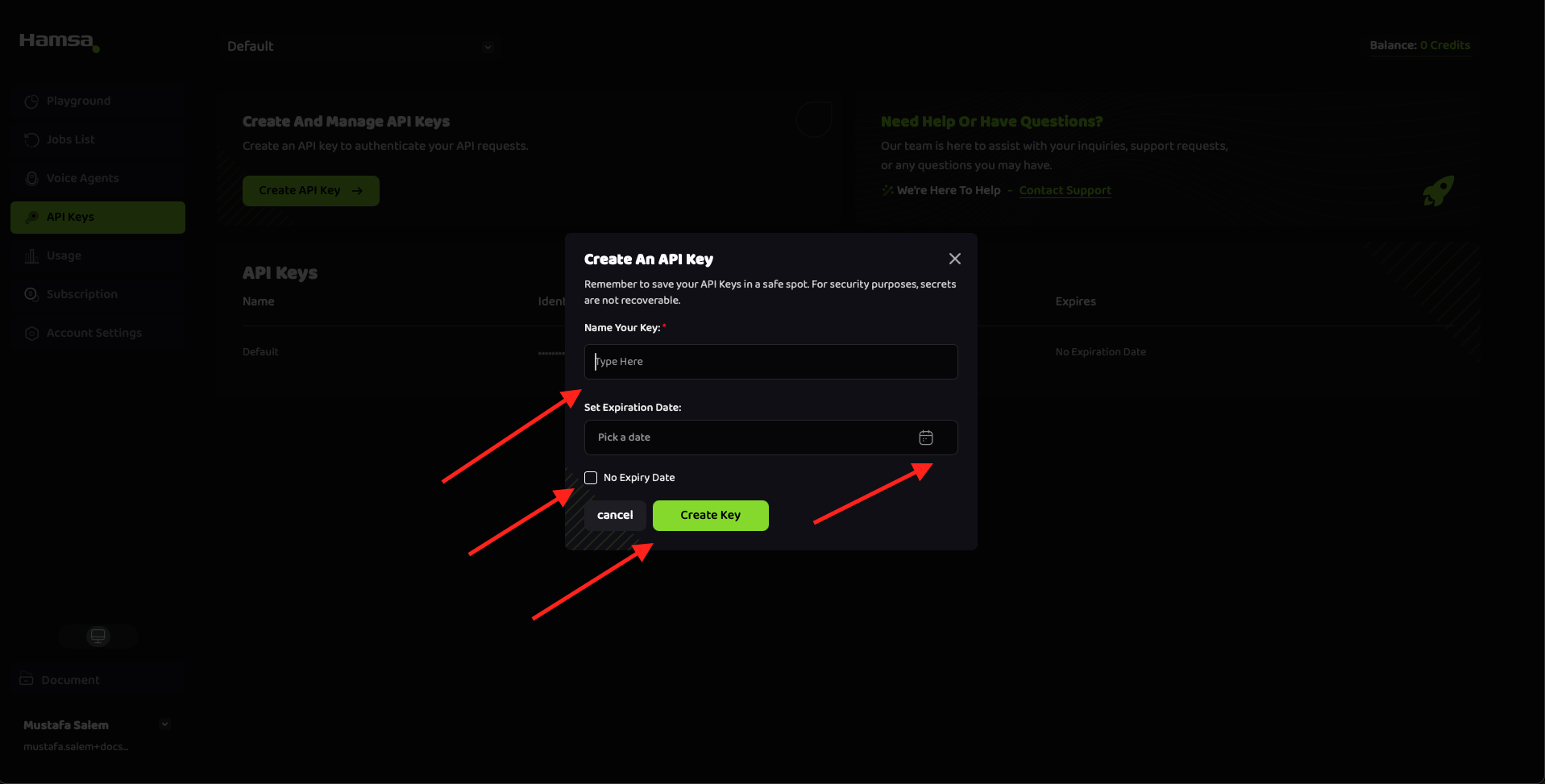
 Once you hit that button, a pop up will appear where you have two options:
First, you can set an API Key Name and Expiry Date
Second, you can set an API Key Name with No Expiry Date
Once you hit that button, a pop up will appear where you have two options:
First, you can set an API Key Name and Expiry Date
Second, you can set an API Key Name with No Expiry Date
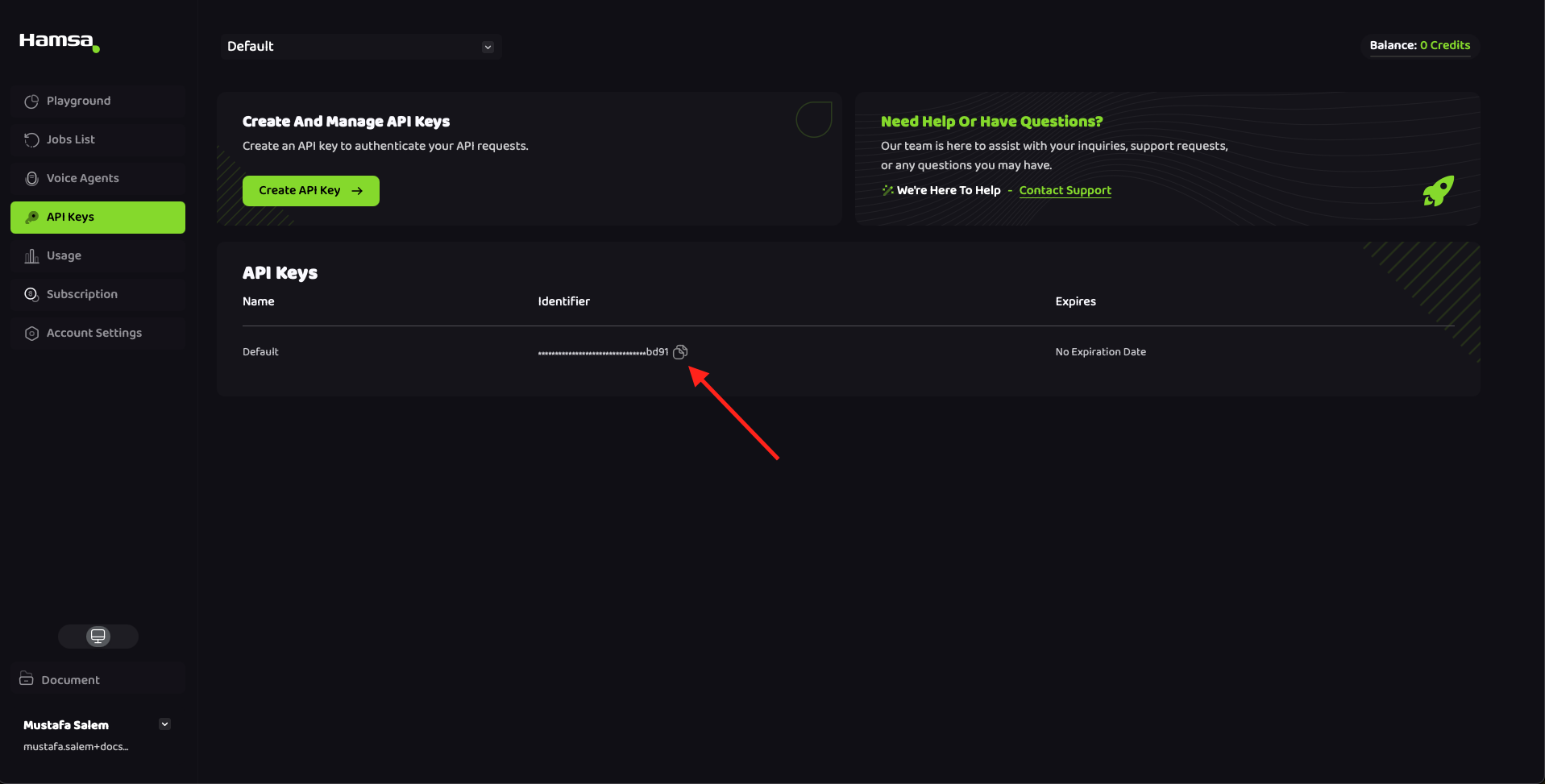
 After creating the API key, You can now copy the API Key Identifier from Hamsa Dashboard and use it in the routes!
Some API endpoints also require a **Project ID**. You can copy your Project ID from the project switcher in the top navigation bar of the dashboard. See [Projects Overview](/overview/projects/overview#finding-your-project-id) for details.
After creating the API key, You can now copy the API Key Identifier from Hamsa Dashboard and use it in the routes!
Some API endpoints also require a **Project ID**. You can copy your Project ID from the project switcher in the top navigation bar of the dashboard. See [Projects Overview](/overview/projects/overview#finding-your-project-id) for details.
### *Happy Coding!*