> ## Documentation Index
> Fetch the complete documentation index at: https://docs.tryhamsa.com/llms.txt
> Use this file to discover all available pages before exploring further.
# Text Items
> Create text items by entering content directly into the platform
## Overview
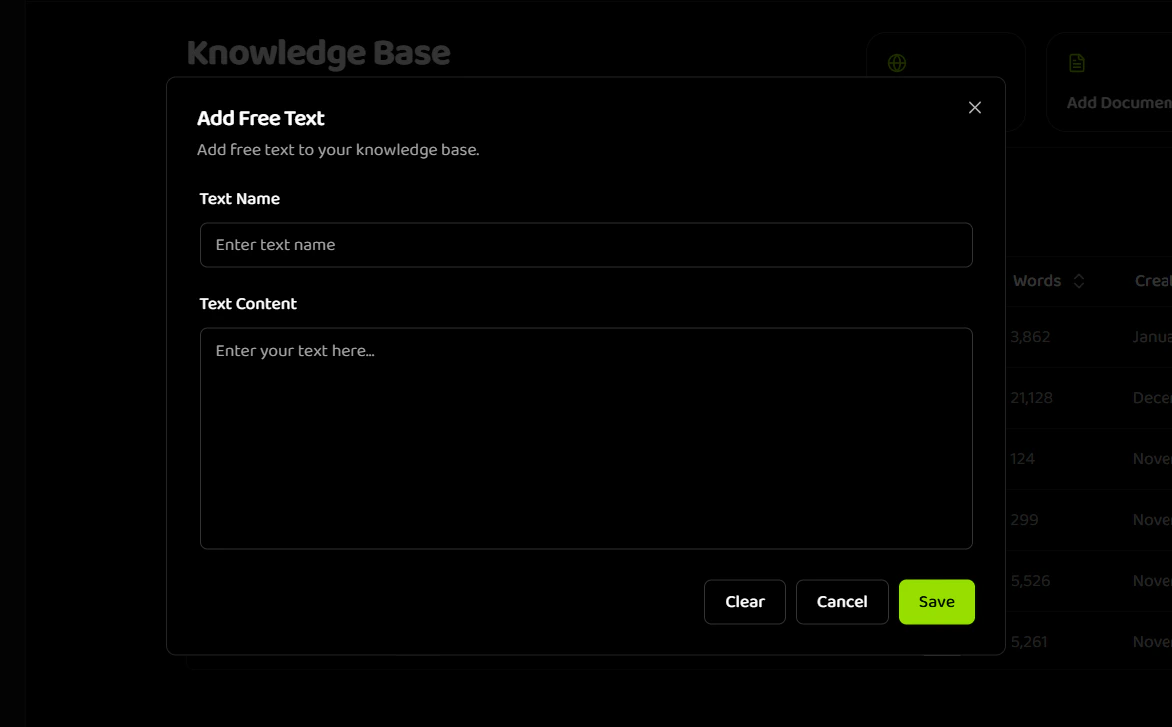
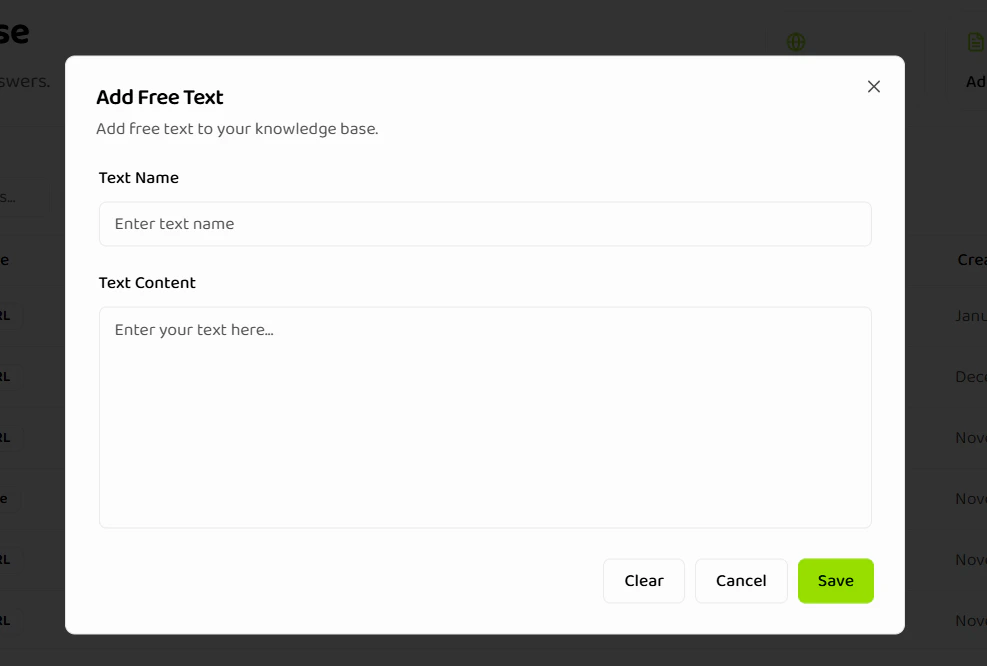
Text items allow you to add free-form text content directly to your knowledge base.
 ## When to Use Text Items
Text items are ideal for:
* Quick FAQs and policies
* Company information
* Product descriptions
* Short reference materials
* Content that changes frequently
## Requirements
| Field | Requirement | Validation |
| ---------------- | ----------- | -------------------------------------------------------------------- |
| **Text Name** | Required | 1-100 characters, not whitespace only |
| **Text Content** | Required | Minimum 50 characters, maximum 5,000 characters, not whitespace only |
## Step-by-Step Process
1. **Navigate to Knowledge Base**
* Go to the [Knowledge Base section](https://agents.tryhamsa.com/app/knowledge-base) in your dashboard
* Click **"Add Free Text"** button
2. **Enter Item Details**
* **Text Name**: Enter a descriptive name (1-100 characters)
* Example: "Return Policy 2024"
* Example: "Business Hours - Customer Service"
* **Text Content**: Enter or paste your text content
* Minimum: 50 characters
* Maximum: 5,000 characters
* Must contain actual content (not just whitespace)
3. **Validate and Save**
* Review your content
* Click **"Save"** button
* Processing starts automatically
Text items are processed instantly. Ensure your content is accurate before saving, as you'll need to edit the title or delete and recreate to change content.
## Text Item Examples
**Example 1: Return Policy**
```
Name: "Return Policy - Electronics"
Content: "We offer a 30-day return policy on all electronics. Items must be in original condition with all packaging and accessories. Refunds are processed within 5-7 business days after we receive the return. Shipping costs are non-refundable unless the item was defective."
```
**Example 2: Business Hours**
```
Name: "Customer Service Hours"
Content: "Our customer service is available:
Monday-Friday: 9 AM - 6 PM EST
Saturday: 10 AM - 4 PM EST
Sunday: Closed
Holiday hours may vary. Check our website for holiday schedules."
```
**Example 3: Product Specifications**
```
Name: "Product X - Technical Specs"
Content: "Product X features:
- Dimensions: 10" x 8" x 2"
- Weight: 1.5 lbs
- Power: 120V AC, 60Hz
- Warranty: 2 years
- Compatibility: Windows 10+, macOS 11+, Linux"
```
## Text Limits
* **Minimum**: 50 characters
* **Maximum**: 5,000 characters
For longer content, consider breaking it into multiple focused text items rather than one large item. This improves retrieval accuracy.
## Related Documentation
Overview of all item creation types
Learn how to upload documents
Learn how to import web content
Organize and manage your knowledge base
## When to Use Text Items
Text items are ideal for:
* Quick FAQs and policies
* Company information
* Product descriptions
* Short reference materials
* Content that changes frequently
## Requirements
| Field | Requirement | Validation |
| ---------------- | ----------- | -------------------------------------------------------------------- |
| **Text Name** | Required | 1-100 characters, not whitespace only |
| **Text Content** | Required | Minimum 50 characters, maximum 5,000 characters, not whitespace only |
## Step-by-Step Process
1. **Navigate to Knowledge Base**
* Go to the [Knowledge Base section](https://agents.tryhamsa.com/app/knowledge-base) in your dashboard
* Click **"Add Free Text"** button
2. **Enter Item Details**
* **Text Name**: Enter a descriptive name (1-100 characters)
* Example: "Return Policy 2024"
* Example: "Business Hours - Customer Service"
* **Text Content**: Enter or paste your text content
* Minimum: 50 characters
* Maximum: 5,000 characters
* Must contain actual content (not just whitespace)
3. **Validate and Save**
* Review your content
* Click **"Save"** button
* Processing starts automatically
Text items are processed instantly. Ensure your content is accurate before saving, as you'll need to edit the title or delete and recreate to change content.
## Text Item Examples
**Example 1: Return Policy**
```
Name: "Return Policy - Electronics"
Content: "We offer a 30-day return policy on all electronics. Items must be in original condition with all packaging and accessories. Refunds are processed within 5-7 business days after we receive the return. Shipping costs are non-refundable unless the item was defective."
```
**Example 2: Business Hours**
```
Name: "Customer Service Hours"
Content: "Our customer service is available:
Monday-Friday: 9 AM - 6 PM EST
Saturday: 10 AM - 4 PM EST
Sunday: Closed
Holiday hours may vary. Check our website for holiday schedules."
```
**Example 3: Product Specifications**
```
Name: "Product X - Technical Specs"
Content: "Product X features:
- Dimensions: 10" x 8" x 2"
- Weight: 1.5 lbs
- Power: 120V AC, 60Hz
- Warranty: 2 years
- Compatibility: Windows 10+, macOS 11+, Linux"
```
## Text Limits
* **Minimum**: 50 characters
* **Maximum**: 5,000 characters
For longer content, consider breaking it into multiple focused text items rather than one large item. This improves retrieval accuracy.
## Related Documentation
Overview of all item creation types
Learn how to upload documents
Learn how to import web content
Organize and manage your knowledge base